
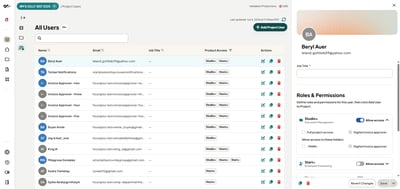
Project Admins can now add, edit, and manage users directly, with per-product permissions across Start+, Hours+, Studio+, and Reporting+. Changes take effect immediately. No support ticket needed.
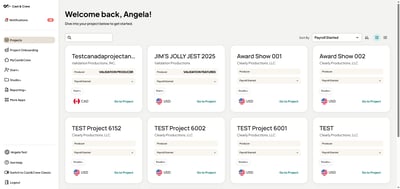
Project Onboarding is now accessible from the global navigation. Adjustment Requests open as an overlay within Hours+ and Studio+. No context switching, no new windows.
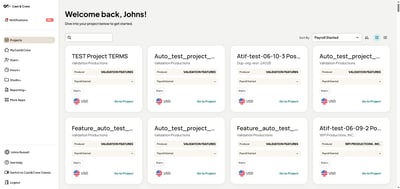
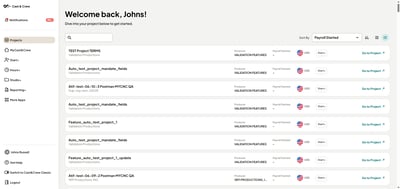
Each project card now shows which products are active before you click in. Search by production company. Toggle to a compact list view that saves as your default. Especially useful for teams managing large slates.
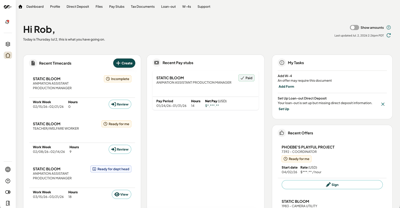
Your dashboard now brings timecards, pay stubs, and offers together from every project in one place. See your most important info the moment you log in. Need a single project view instead? Switch over to the Projects Dashboard anytime. Especially useful for crew juggling multiple productions at once.
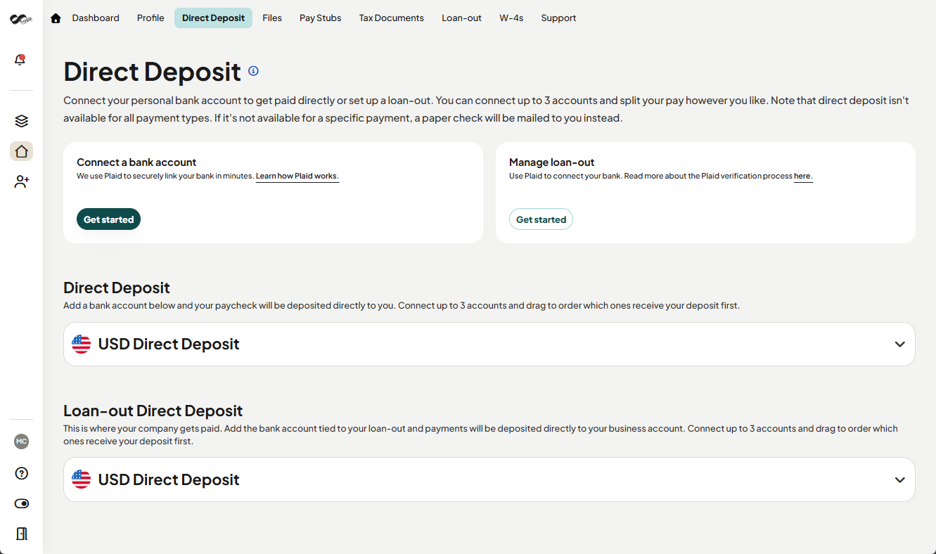
Crew can now manage both W-2 and loan-out direct deposits from a single unified flow. The bank connection process is improved to reduce errors and drop-offs. All existing payment information is carried over automatically. Crews won't need to re-enter anything.
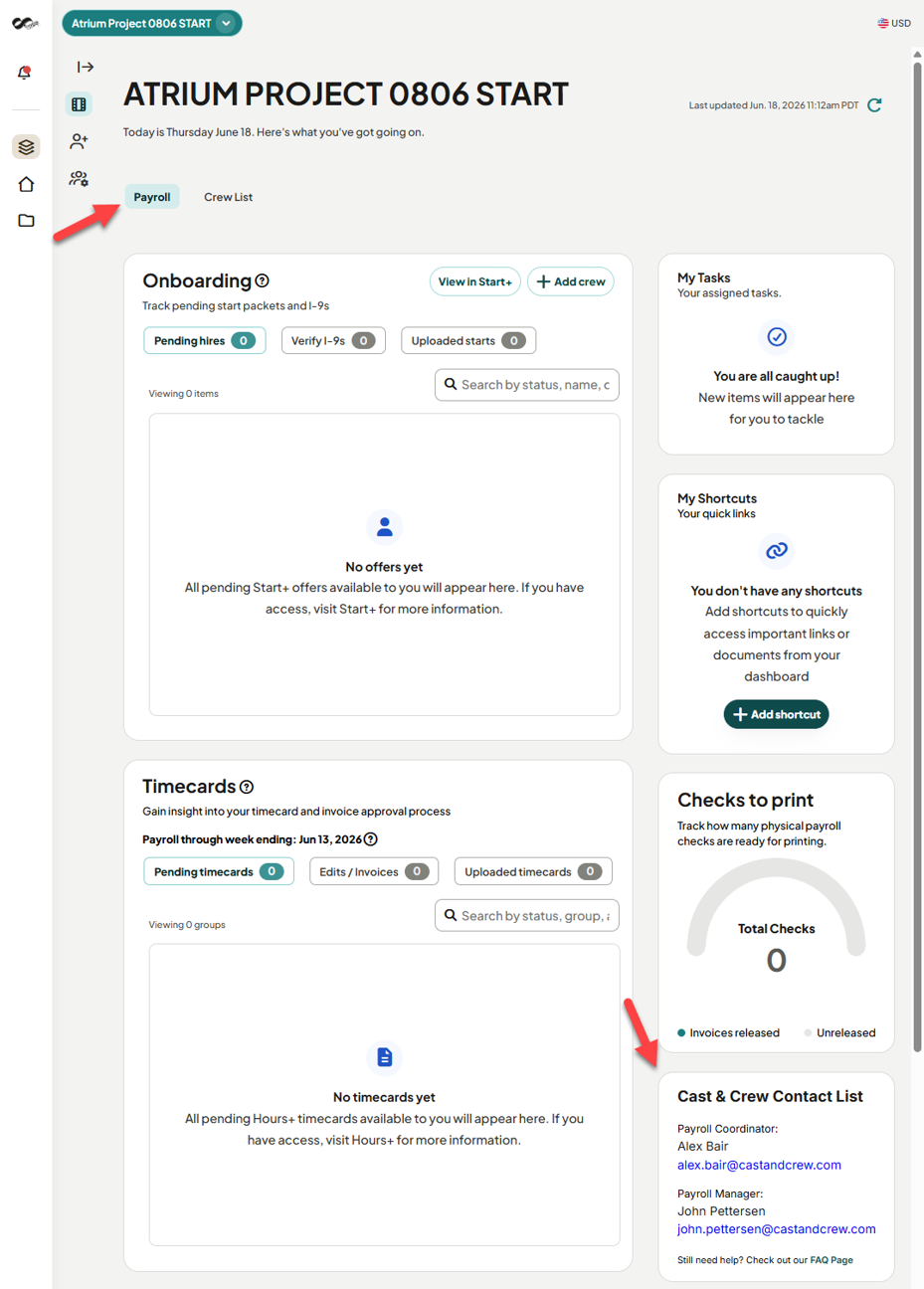
Your Payroll Coordinator's contact information is now visible directly on the Payroll Dashboard. No more searching through emails during a processing crunch.
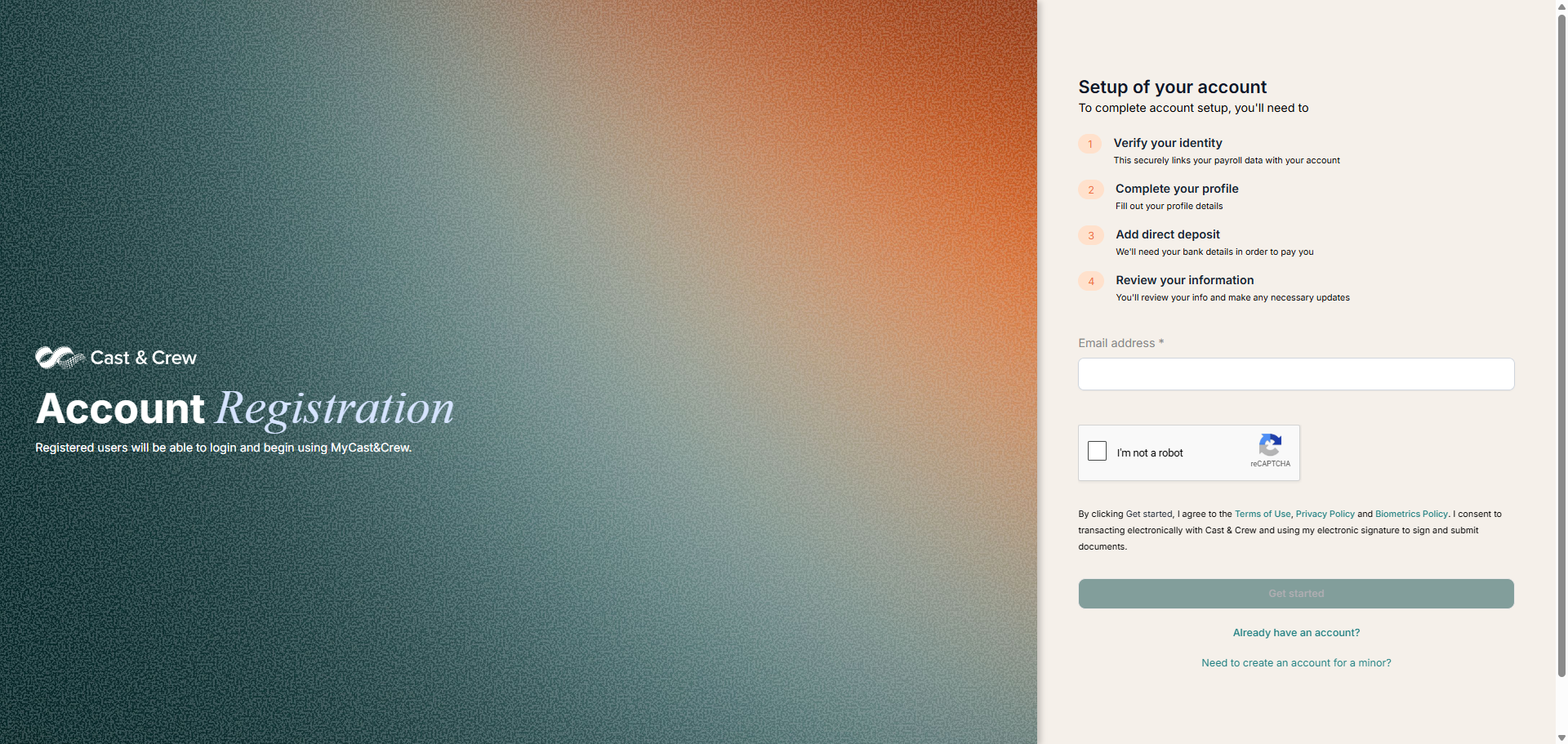
The login and registration pages for desktop and mobile have been fully updated to match the Cast & Crew Timeless color palette, consistent with the New Experience from the very first interaction.
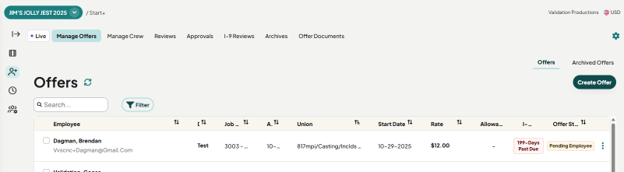
"Create Offer" now lives directly on the Manage Offers page. No separate menu navigation required. Go from reviewing existing offers to creating a new one in a single click.
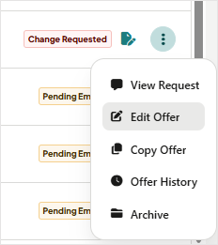
Hiring managers can update an existing offer without creating a duplicate. About 10% of all offers in Start+ were duplicates made just to make minor changes. That's now eliminated. Crews see "Request a Correction" instead of "Reject," making the experience less confusing for everyone.
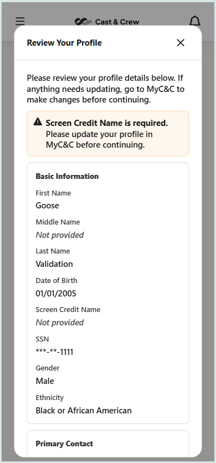
Crew now review and confirm their profile details—including address, screen credit name, any missing fields—before their start documents are pre-filled. Catches outdated information before it causes a reprint, a misdirected check, or an administrative delay.
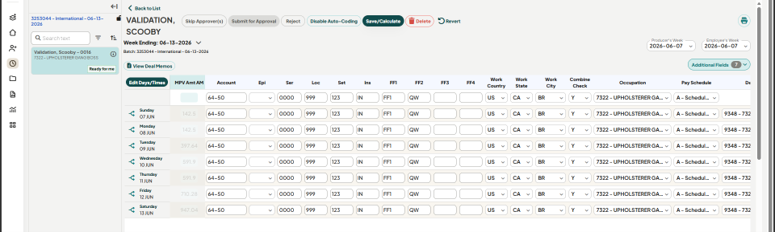
The most-used screen in the platform got a focused rebuild. Allowance documents now preview in a side panel without downloading, keyboard navigation is smoother, field widths are reduced to cut horizontal scrolling, and the Copy to All shortcut no longer affects unintended rows.
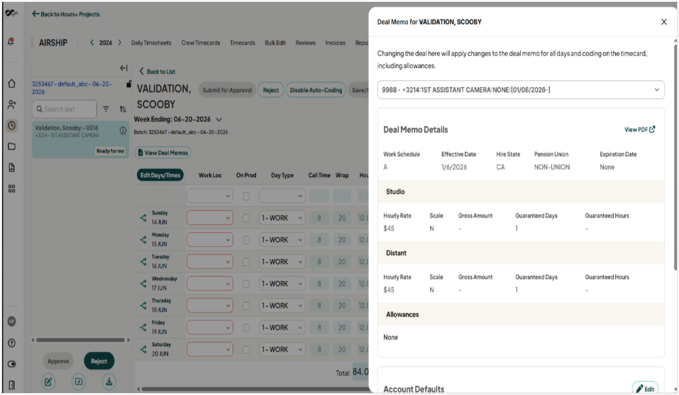
A direct link in the Hours+ "View Deal Memos" tray now opens the completed offer packet from Start+ in a new tab without leaving your workflow. The back-and-forth between products to cross-reference a deal memo is gone.
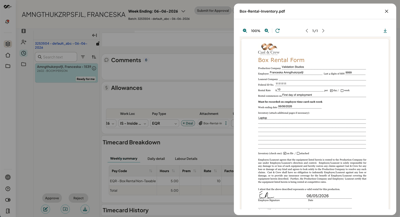
Review allowances right from the weekly timecard screen, with the same details you'd find in Daily Timesheets plus the ability to take action. Need to check an attachment? Just click it to preview the document right in your browser, no download required.
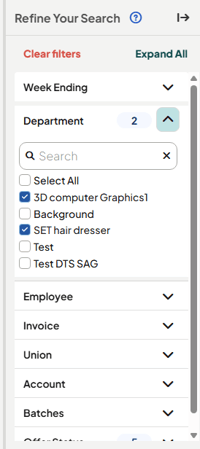
Set your filters in Hours+ once and they'll stay put. Whether you're filtering by department, approver, status, or another column, your view holds steady as you navigate around the same project during your session. Switch projects or log out, and filters reset as expected. Pick up right where you left off, every time.
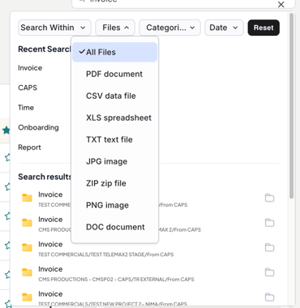
In document-heavy production environments, search isn't a nice-to-have; it's how work gets done. Benefit from an improved search system so you can always find exactly what you're looking for.
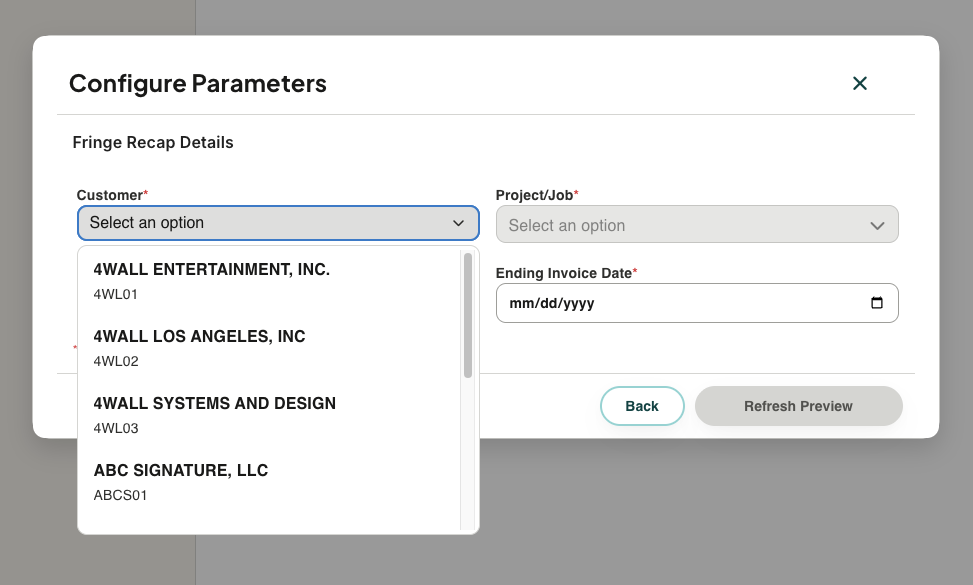
Two new self-service templates are now available: Fringe Recap Summary and Fringe Recap Details. Both cover employer-paid fringe costs—FICA, workers' comp, pension and health, handling fees—generated from CAPSPay/PAI data. Reports that previously required manual preparation are now available on demand.
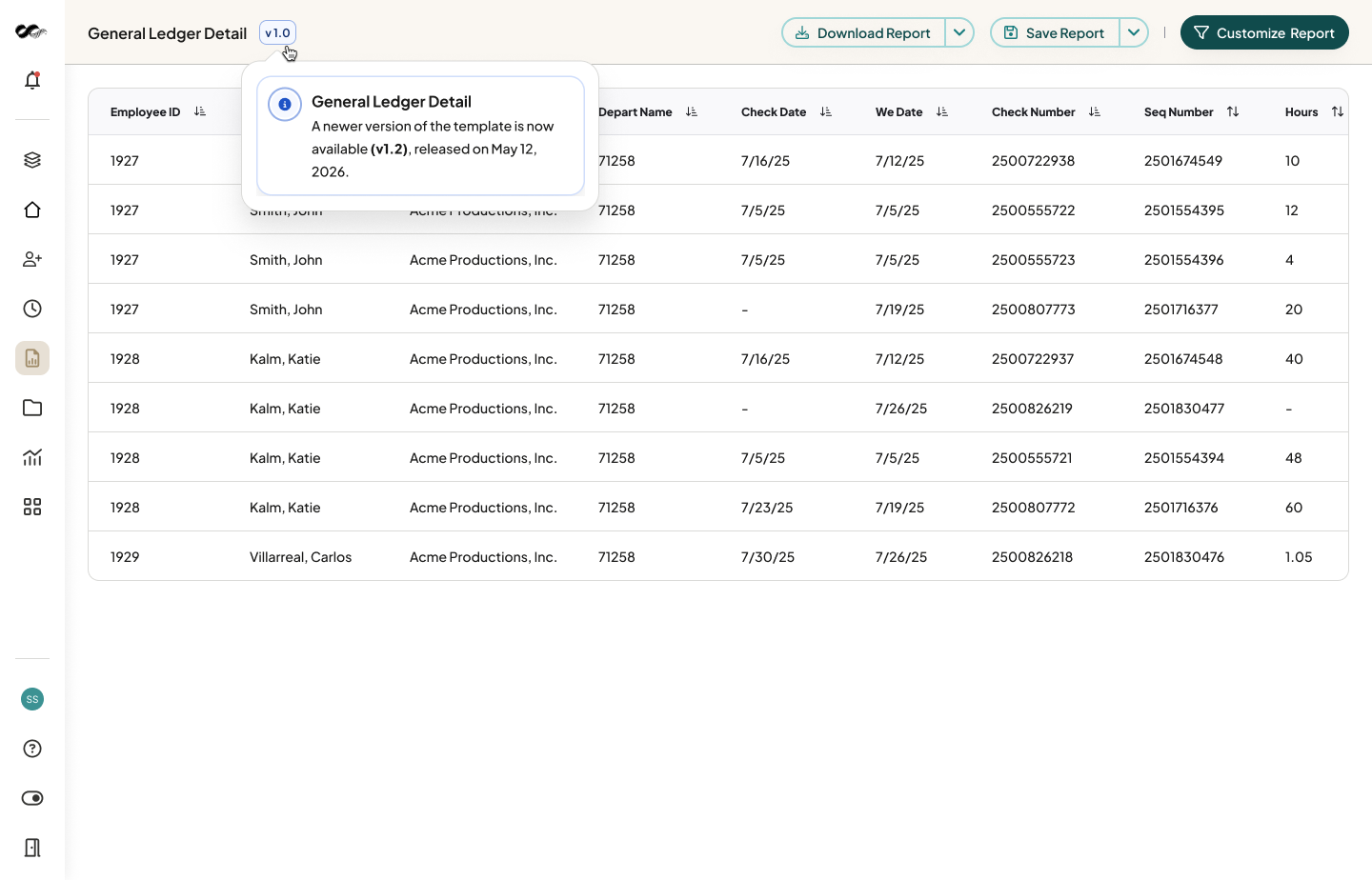
Report templates now display version numbers. You'll always know which version a report was built on, and you'll be notified when a newer version is available, so you can adopt updates on your own timeline without disrupting existing reports.
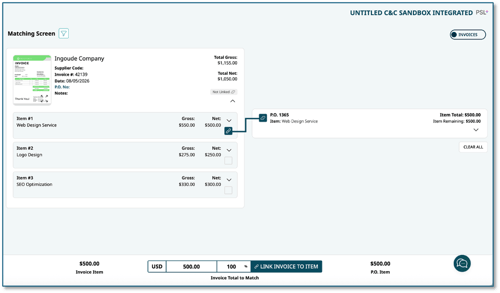
You asked, we listened. DPO has been fully redesigned with cleaner layouts, improved navigation, always-visible filters, and a clearer information hierarchy across Purchase Orders, Invoices, Expenses, and Settings screens. Your existing workflows, modules, and settings are all intact. The update rolls out automatically, so you can just show up and enjoy the improvement.
Our Support and Implementation teams are here to help. Reach out at productsolutions@castandcrew.com for assistance.
